
Turn on the AI
Start free. Premium switches on the AI side of Keyloom: describe what you need, let ChatGPT or Claude work in After Effects, turn a script into a video — with every item and every tool. Half of every subscription pays the creators you use.
Free
$0
For trying Keyloom and everyday basics.
- All free items
- The After Effects plugin
- Search in English, French and Arabic
- Favorites and folders
Premium
$4.99 / month
or $50.90 / year Save 15%
$50.90 / year
$4.24 a month, billed yearly · you save $8.98
Cancel anytime. Keep Premium until the end of the paid period.
- Everything in Free
- Every Premium item, new ones every week
- Use in personal and client projects
- 50% of revenue goes to creators
Secure payment by card or PayPal, on this site.
The AI does the searching. You do the design.
Four things you will use every day, all inside After Effects.
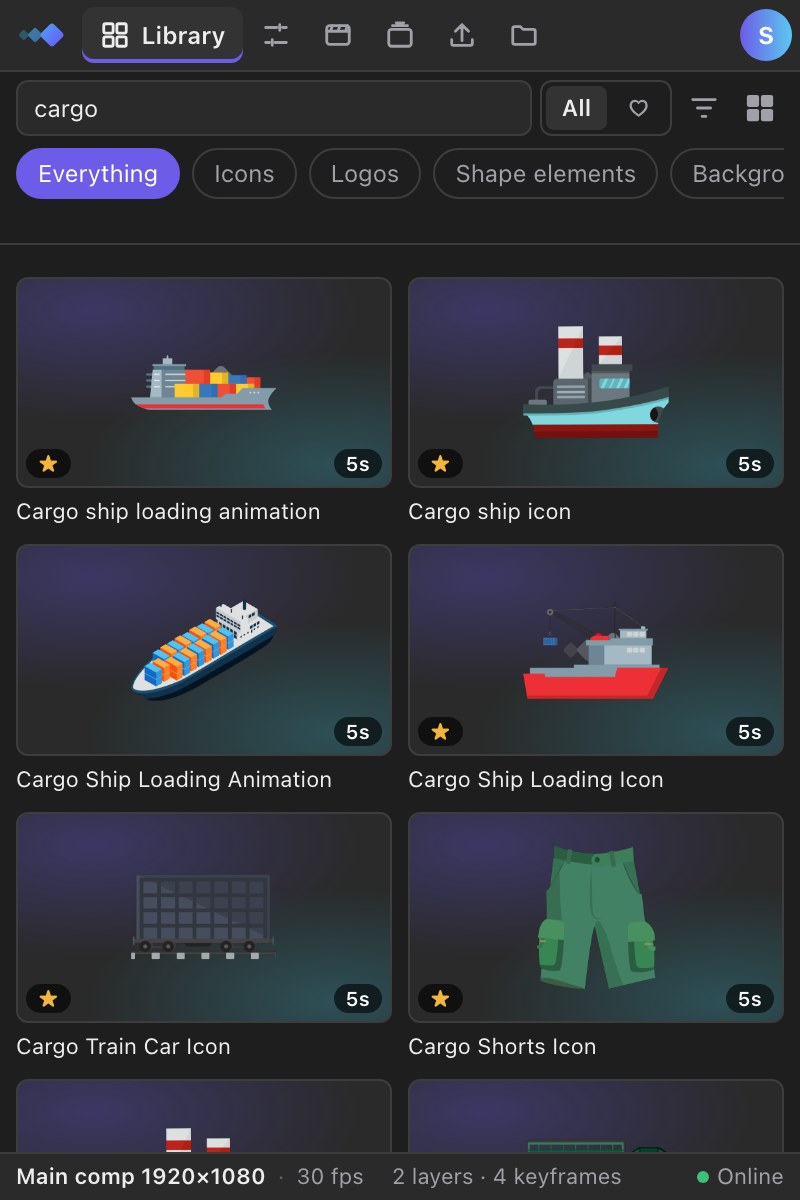
Describe it like you would to a teammate
Write a sentence in Arabic, English or French. The AI understands what you mean — the mood, the object, the motion — and finds it, even when nobody tagged it with your words.
- Understands whole sentences, not just keywords
- Fixes typos and finds synonyms in all three languages
- Shows what it understood, so you can refine
The AI understood
ChatGPT and Claude, working in your comp
Connect your AI in two minutes from the panel’s Settings. Ask “a rocket at 2 seconds, center it, add a little overshoot” — it searches the library, places the items at the right second and uses the animation tools for you.
- Reads your open comp, its size and the playhead
- Places items and runs the tools — every step one Undo
- REST API for your own scripts too
- ChatGPT
- Claude
- Cursor
- VS Code · Copilot
Add a rocket icon at 2 seconds and center it.
✓ “Rocket launch” is in your comp at 0:02, centered. Want an overshoot?
Paste a script. Get a storyboard, then the video.
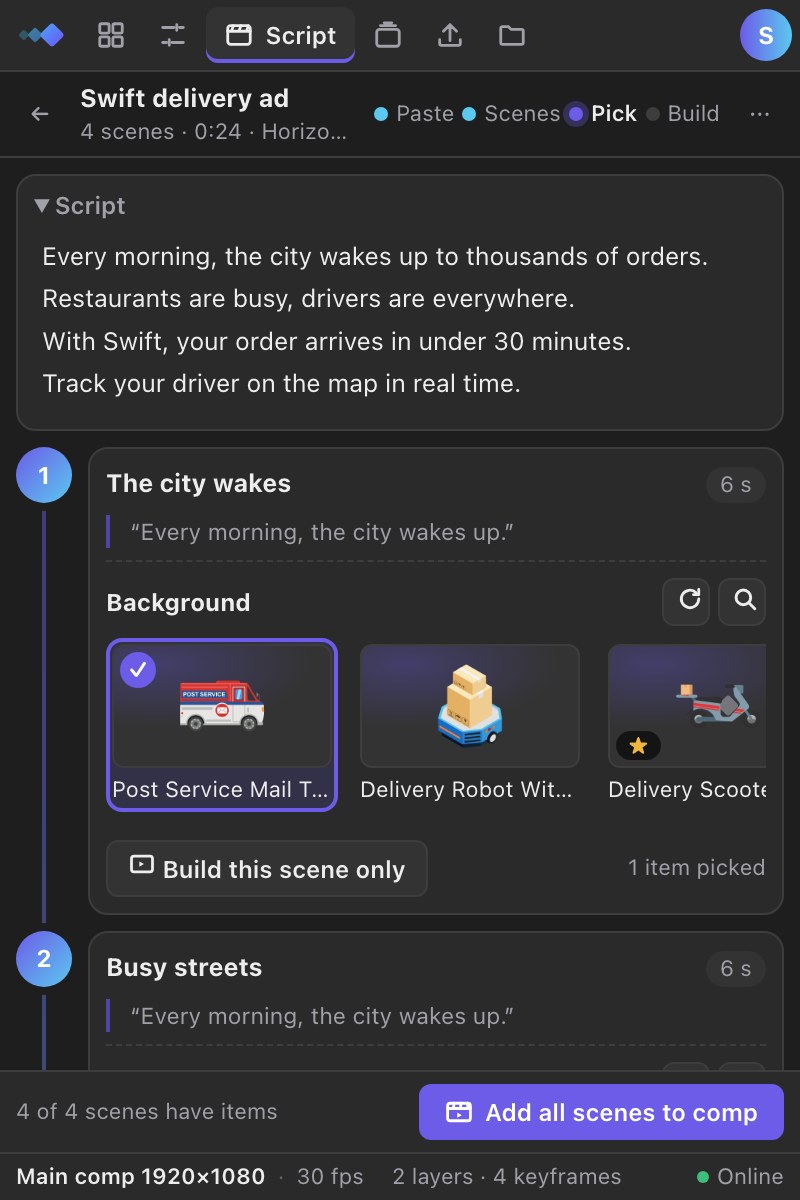
The AI splits your voice-over into scenes, picks backgrounds, icons and elements for each one, and builds the comps in your brand colors — vertical, horizontal or square.
- Scenes with the items already chosen — swap any of them
- Your brand colors painted on the items
- One click builds every scene in After Effects
The pro tools, one click each
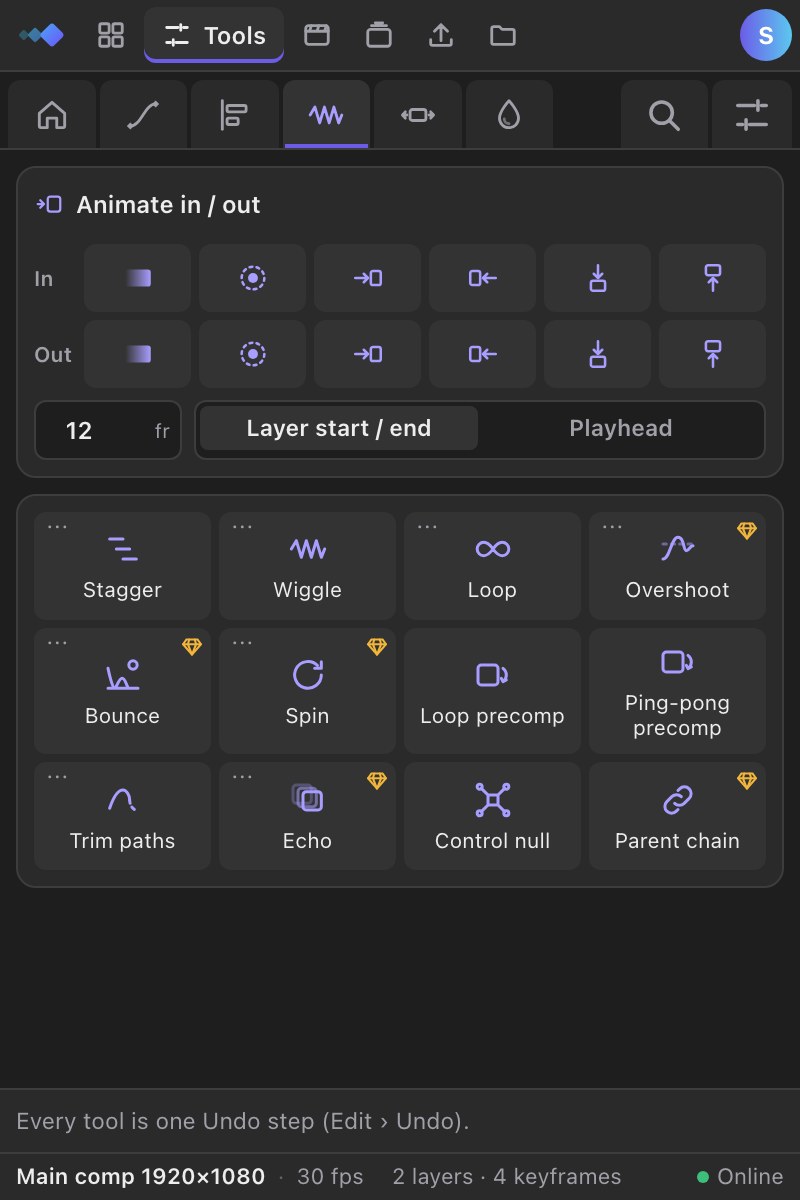
Free gets the everyday tools. Premium adds the ones that save the most time:
- Copy and paste ease
- Bake expressions
- Echo
- Precompose each
- Clean keyframes
- Reverse keyframes
- Overshoot
- Bounce
- Spin
- Parent chain
- Distribute
- Rename layers
- Reverse layer order
- Crop comp
- Clean up
- Color
Every Premium item
The whole library: icons, backgrounds, transitions, scenes, logos — new ones every week.
Your uses pay the creators
Half of every subscription goes to the designers whose Premium items you use.
Cancel anytime
Keep Premium until the end of the period you paid for. No questions asked.
Free or Premium?
| What you get | Free | Premium |
|---|---|---|
| Free items, applied in one click | ✓ | ✓ |
| Premium items | — | ✓ |
| Animation tools in the panel (ease, align, wiggle…) | The everyday ones | All of them |
| Keyword search in Arabic, English and French | ✓ | ✓ |
| AI search: describe it in a sentence | — | ✓ |
| API & MCP: use Claude, ChatGPT or Cursor in After Effects | — | ✓ |
| Script → storyboard → video | 1 to try | ✓ |
| Favorites and folders | ✓ | ✓ |
| Your uses pay the creators | — | ✓ |
Questions, answered
Can’t find what you need? Write to us and we reply within two days.
Contact usInside After Effects. Items are applied from the Keyloom plugin in one click; the website is for browsing and previews.
By debit or credit card, or with a PayPal account. The card form opens right here on Keyloom; card details go straight to PayPal and Keyloom never sees them.
Yes, from Settings › Billing. The new plan starts when your current period ends, so you are never charged twice.
Yes. You keep Premium until the end of the period you paid for, then you are back on Free. No questions asked.
Each month, half of net subscription revenue is shared between creators according to how many subscribers used their Premium items. Yearly payments are shared out over the 12 months they cover.
Yes. Items you apply can be used in personal and commercial projects. You cannot resell or redistribute the items themselves.